# Task
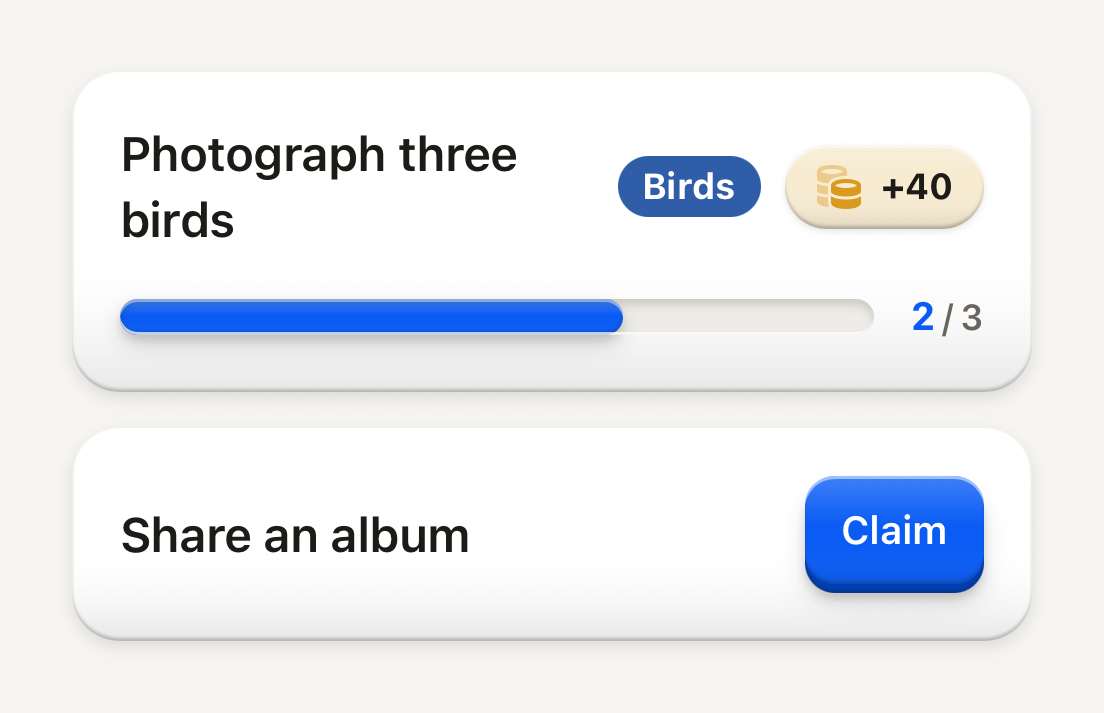
One task on a quiet content surface. Its title, tag and reward sit over its progress; your app owns the progress and the claim.
```tsx
import Coins01Icon from "@hugeicons-pro/core-bulk-rounded/Coins01Icon";
import { HugeiconsIcon } from "@hugeicons/react-native";
import { Button, ButtonText, Counter, Progress, Task, TaskFooter, TaskHeader, TaskReward, TaskTag, TaskTitle } from "@terratcg/ui";
import { View } from "react-native";
export default function TaskInProgress() {
return (
Photograph three birds
Birds
}
>
+40
Share an album
);
}
```
## Import
```tsx
import { Task, TaskFooter, TaskHeader, TaskReward, TaskTag, TaskTitle } from "@terratcg/ui";
```
## Usage
```tsx
Scan three birds+40
```
A Task only presents. Your app decides the progress, whether the reward can be claimed, and what a claim does: when it can, swap the TaskReward for a small Button; once claimed, set `completed`. TaskReward is a raised pill washed in its `color` like a StatPill (a light tint of the hue, a hairline of it around the pill); a claimed reward lies flat. Anything else, such as a Notice, can follow the footer.
## Examples
### Completed
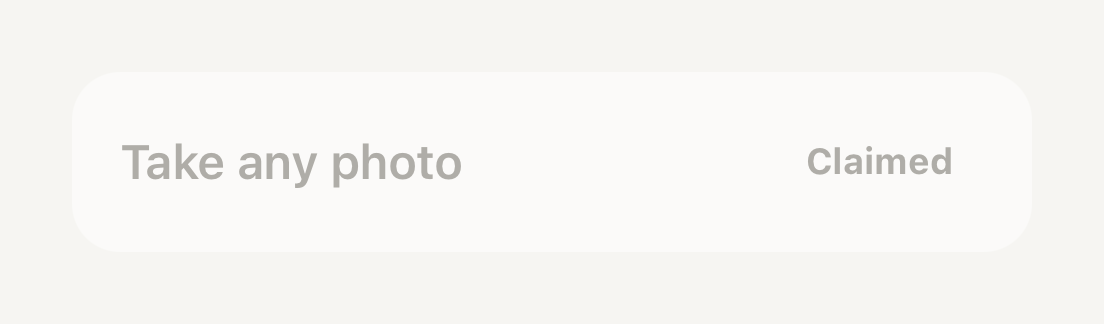
completed lays the whole task flat and fades it; a claimed reward lies flat in the muted palette.
```tsx
import { Task, TaskHeader, TaskReward, TaskTitle } from "@terratcg/ui";
import { View } from "react-native";
export default function TaskCompleted() {
return (
Take any photo
Claimed
);
}
```
## Props
### Task
### TaskProps
| Prop | Type | Description |
| -------------- | ------------------------- | ------------------------------------------------------------------------------------------ |
| `completed?` | `boolean` | Dims the whole row once the host marks the task done. Default: `false` |
| `translucent?` | `boolean` | A see-through floor, for a task resting inside a living shell (see Card). Default: `false` |
| `style?` | `StyleProp` | |
Task also accepts React Native's `View` props. TaskHeader and TaskFooter take `View` props; TaskTitle takes React Native's `Text` props and Text's `tone` and `weight`.
### TaskTag
### TaskTagProps
| Prop | Type | Description |
| ------------ | ----------- | --------------------------------------------------------------------- |
| `color?` | `string` | Fill color supplied by the host (for example a taxonomy class color). |
| `textColor?` | `string` | Text color on that fill. |
| `children` | `ReactNode` | |
### TaskReward
### TaskRewardProps
| Prop | Type | Description |
| -------------------- | ------------------------- | ----------------------------------------------------------------------------------- |
| `children` | `string` | The reward text, for example "+40" or "Claimed". |
| `icon?` | `ReactNode` | Host icon node placed before the text (currency bead, check mark). |
| `completed?` | `boolean` | Presents an already-collected reward in the muted palette. Default: `false` |
| `color?` | `string` | The currency's hue: washes the pill in a light tint of it. Omit for a surface pill. |
| `accessibilityLabel` | `string` | Read as one element including the amount, for example "Reward: 40 points". |
| `style?` | `StyleProp` | |
`useTaskCompleted()` returns whether the caller sits in a completed Task, for your own parts inside one: the Task has already faded them.
## Accessibility
- **Reward:** TaskReward is one element with the `text` role, read through its required `accessibilityLabel`, such as "Reward: 40 coins". It is a label, not a button: nothing about it suggests a tap.
- **Tag:** TaskTag is one element with the `text` role. Give it an `accessibilityLabel` when the visible word needs context ("Class of the day: Birds").
- **Larger text:** the header wraps. The title keeps at least 140 pt and wraps rather than truncating; the tag and reward move to the next line.
- **Completed:** the whole Task fades to half opacity and the title turns muted. Say it in words too, as the "Claimed" reward does.
## Platform differences
- **iOS and Android:** the same surface. A completed Task drops its surface shadow and lies flat on both.
- **Web:** Task renders through react-native-web for these docs, but the web is not a supported target.
## Rules
- Keep the claim yours: swap TaskReward for a Button when the reward is earned, never make the reward pressable.
- Give TaskReward an `accessibilityLabel` with the amount.
- Use TaskTag's `color` and `textColor` for a category colour, and check that the pair reads.
- Set `translucent` only inside a Card with a `ground`, where the shell's colour should show through.